Menu

TRACK · PLAY · IMPROVE

From first open to your first insight

1 · Open it. No sign-up.

Google sign-in is optional for local scoring; sign in when you want cloud backup.
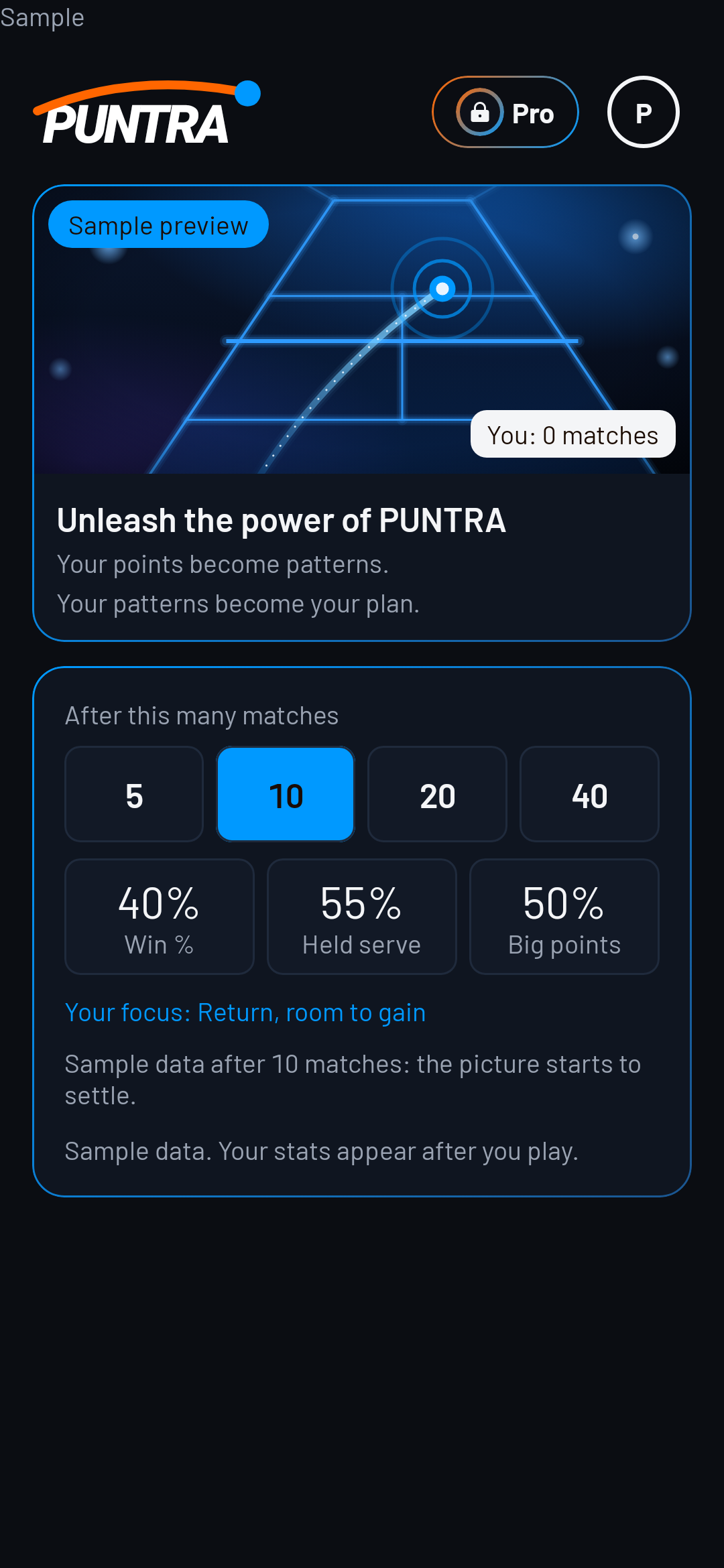
Sample · PUNTRA home

2 · Choose how to start

Open the Start sheet to begin a new match.
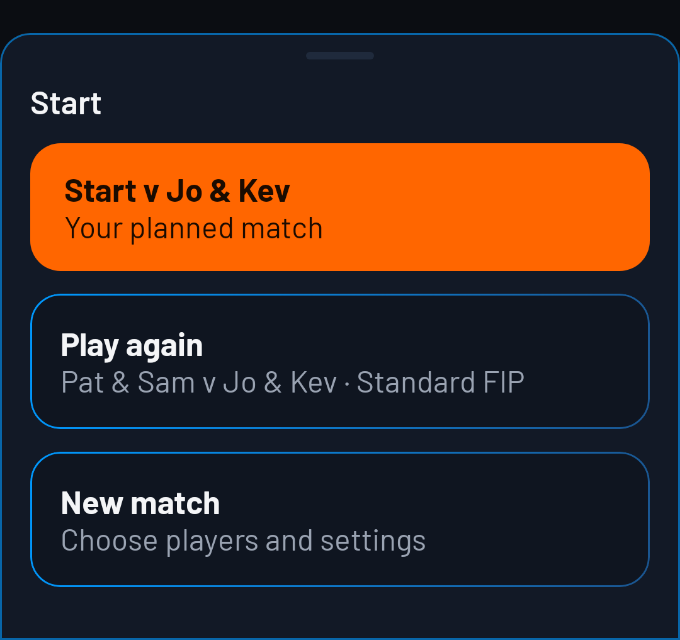
Sample · Start a new match

3 · Set up the match

Choose the players, scoring rules, changing-ends setting and recording detail before starting.
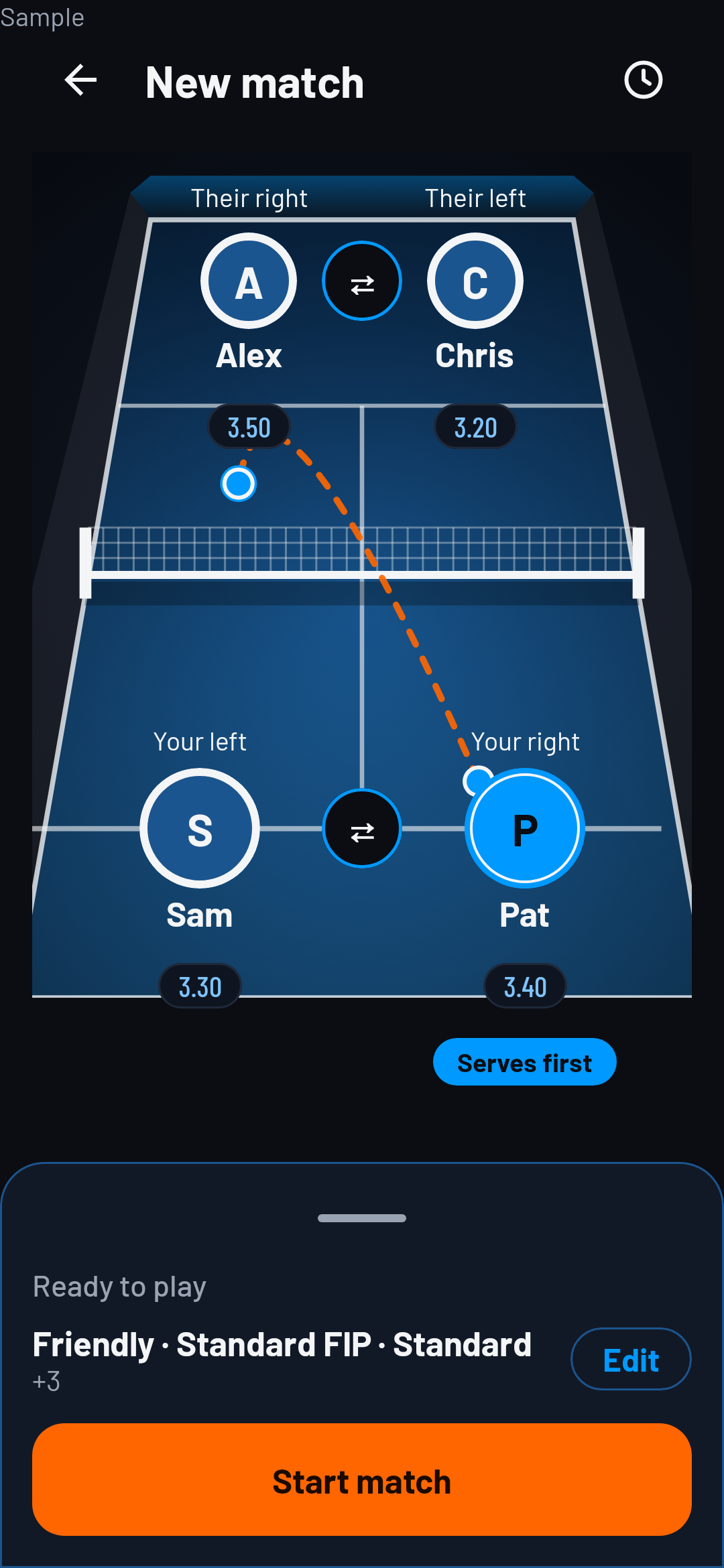
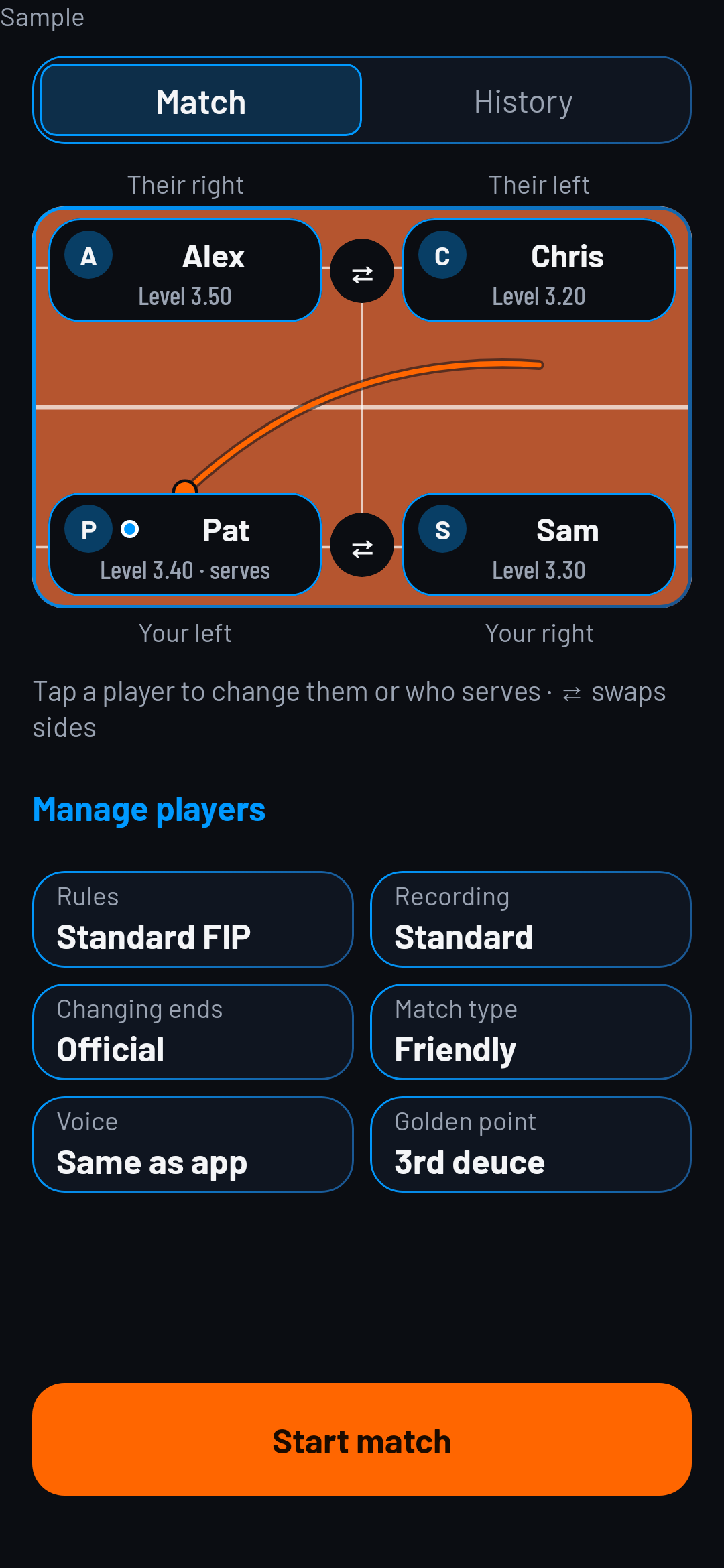
Sample · Match setup · Serving and sides

Match setup

Serving and sides

  • Which one is you?
  • Who serves first?
  • Swap
Sample · Match setup · Who serves first?

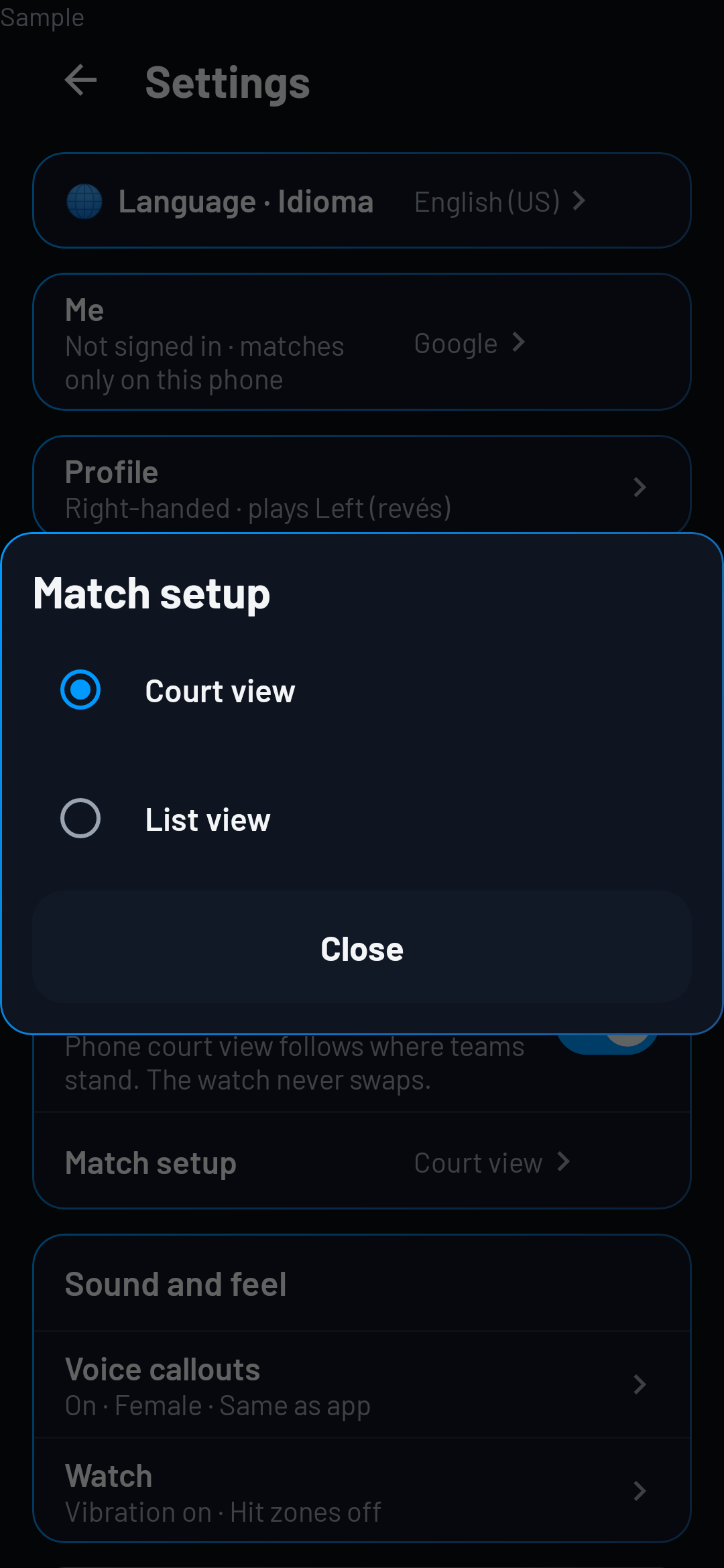
Match setup

  • Free uses the list. With Pro, choose the court or the list in Settings.
Sample · Settings · Match setup

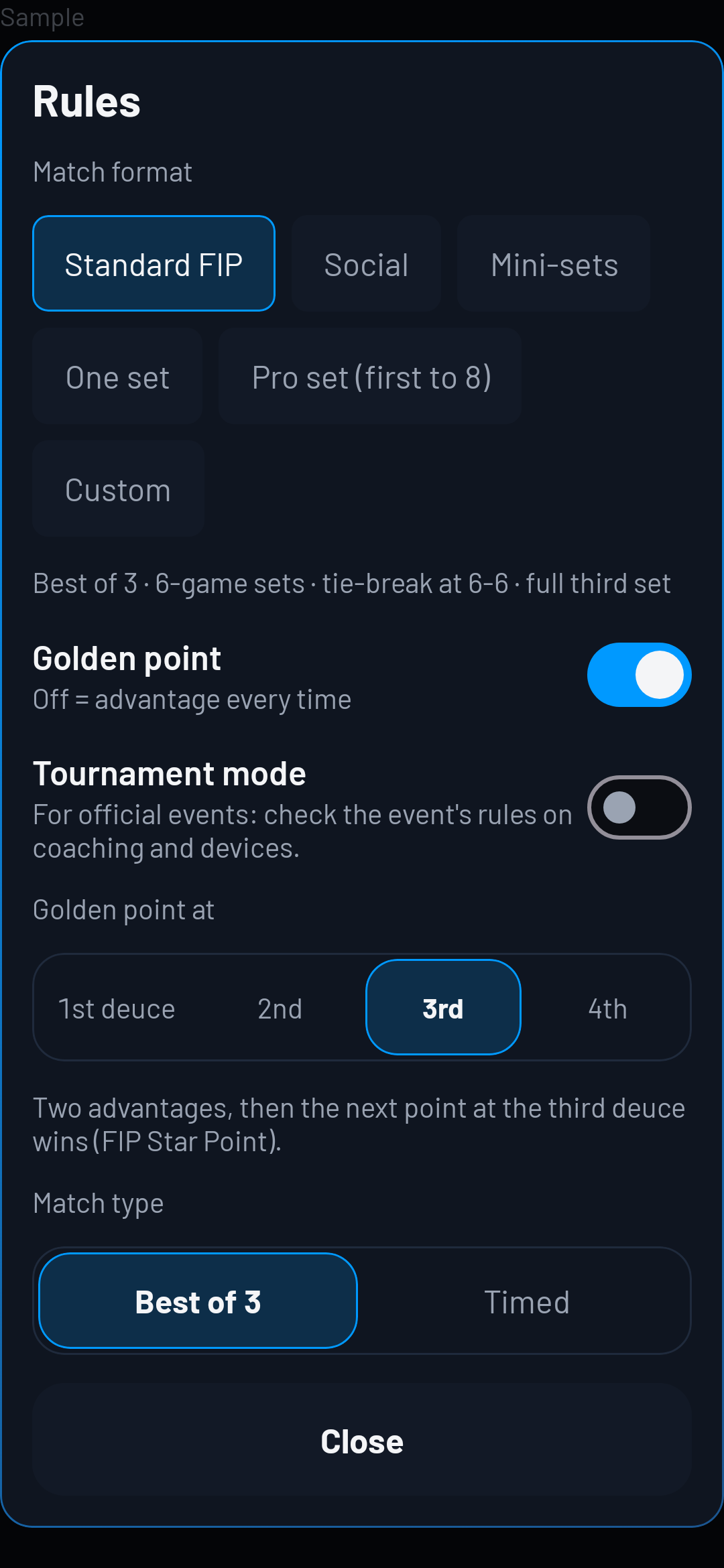
Rules

  • Standard FIP
  • Social
  • Mini-sets
  • Custom
  • Golden point
Sample · Match setup · Rules

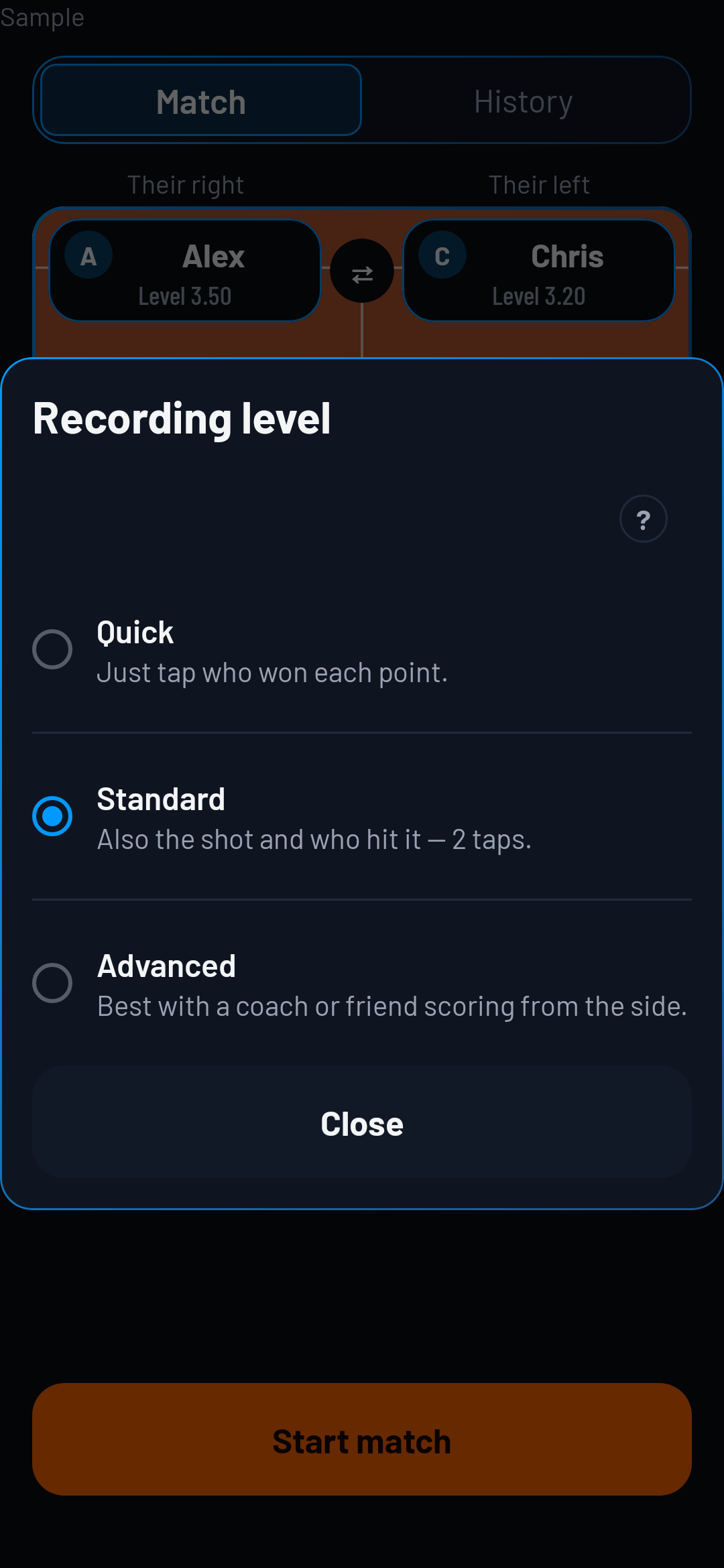
Recording level

  • Quick
  • Standard
  • Advanced
Sample · Match setup · Recording level

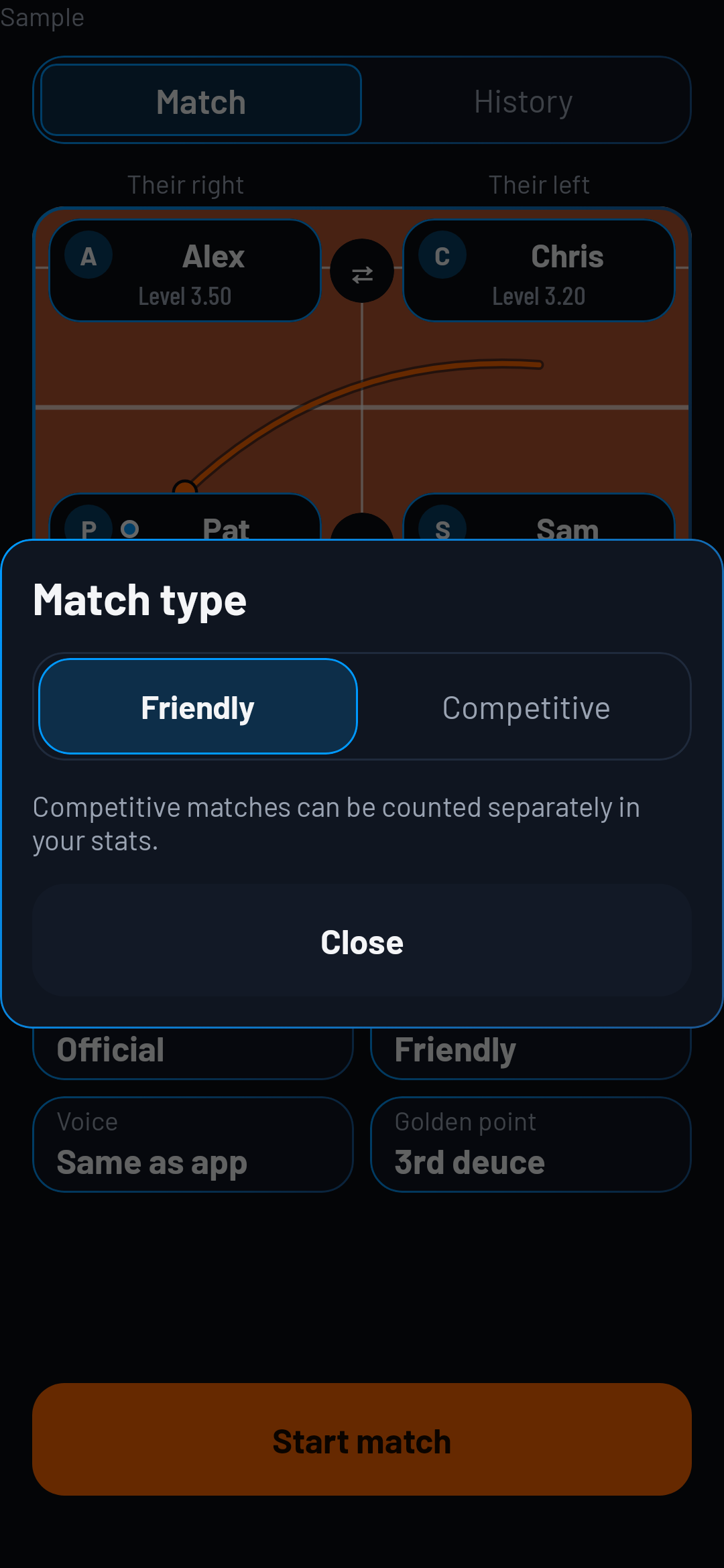
Match type

  • Friendly
  • Competitive
Sample · Match setup · Match type

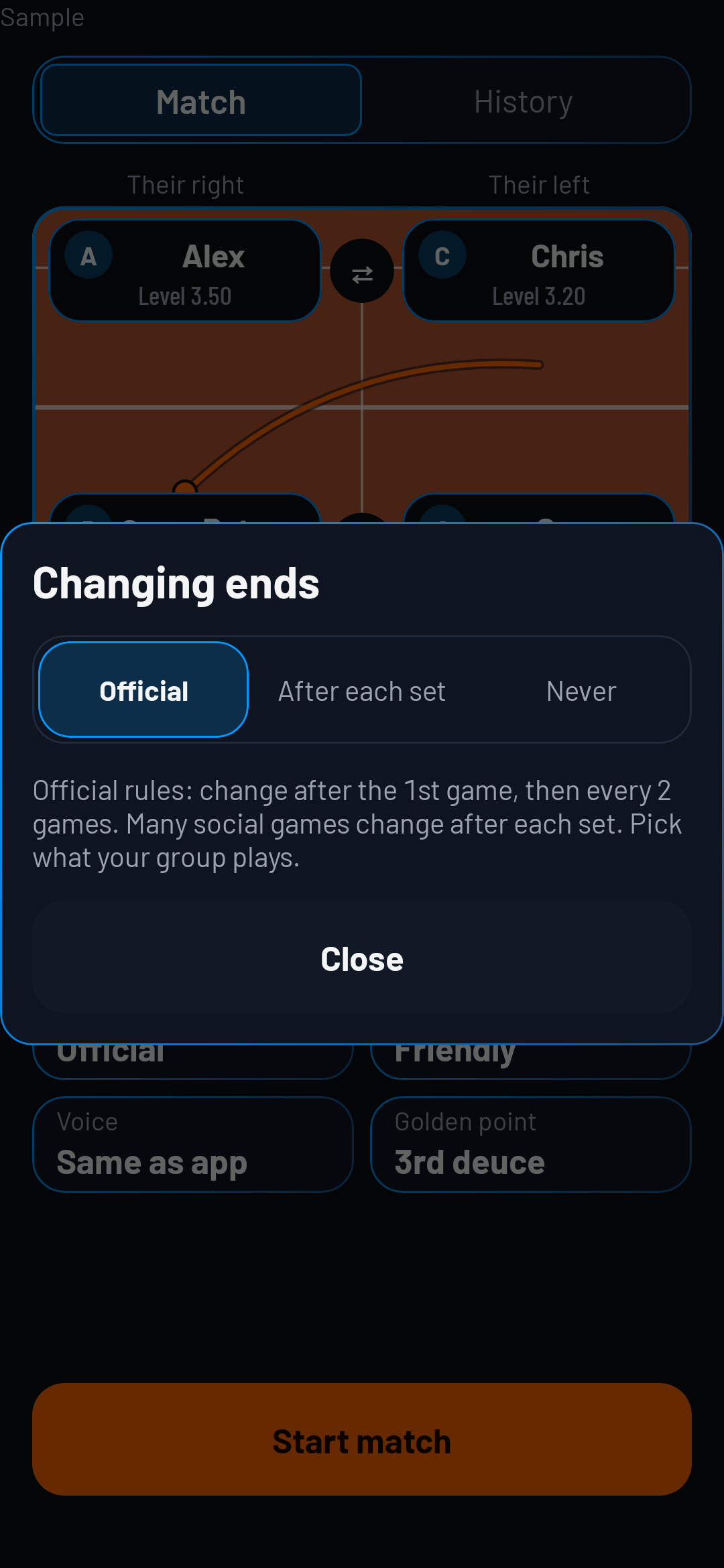
Changing ends

  • Official
  • After each set
  • Never
Sample · Match setup · Changing ends

Voice

  • Voice callouts
  • Voice language

4 · Score on the phone

Use the match controls to record points; choose a recording setting for the detail you want to enter.

Use Undo to correct the last point, or Pause to pause play.
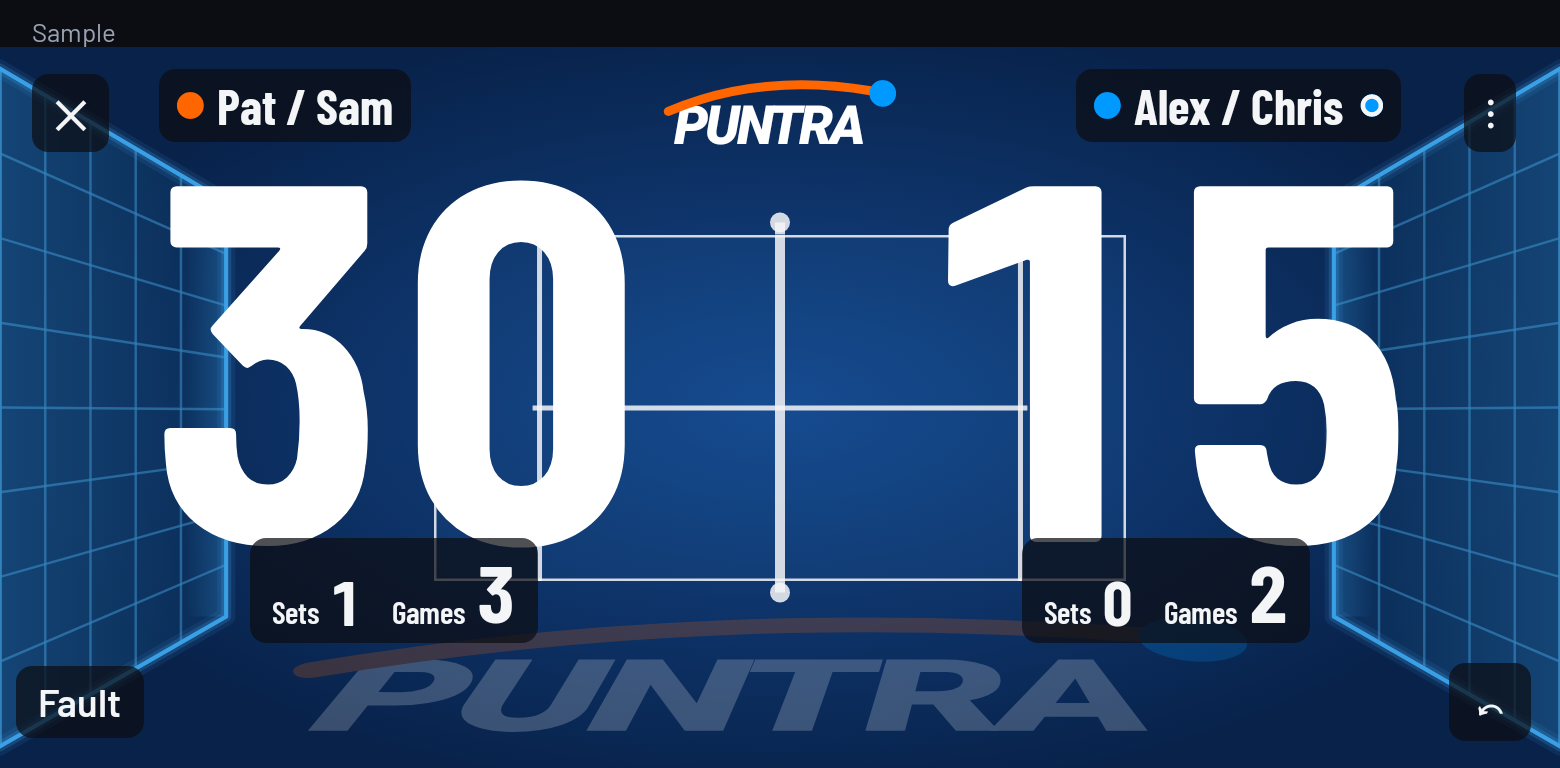
Sample · Score during the match

Score on your phone, watch or tablet

Use your phone or tablet as a courtside scoreboard, controlled from your watch.
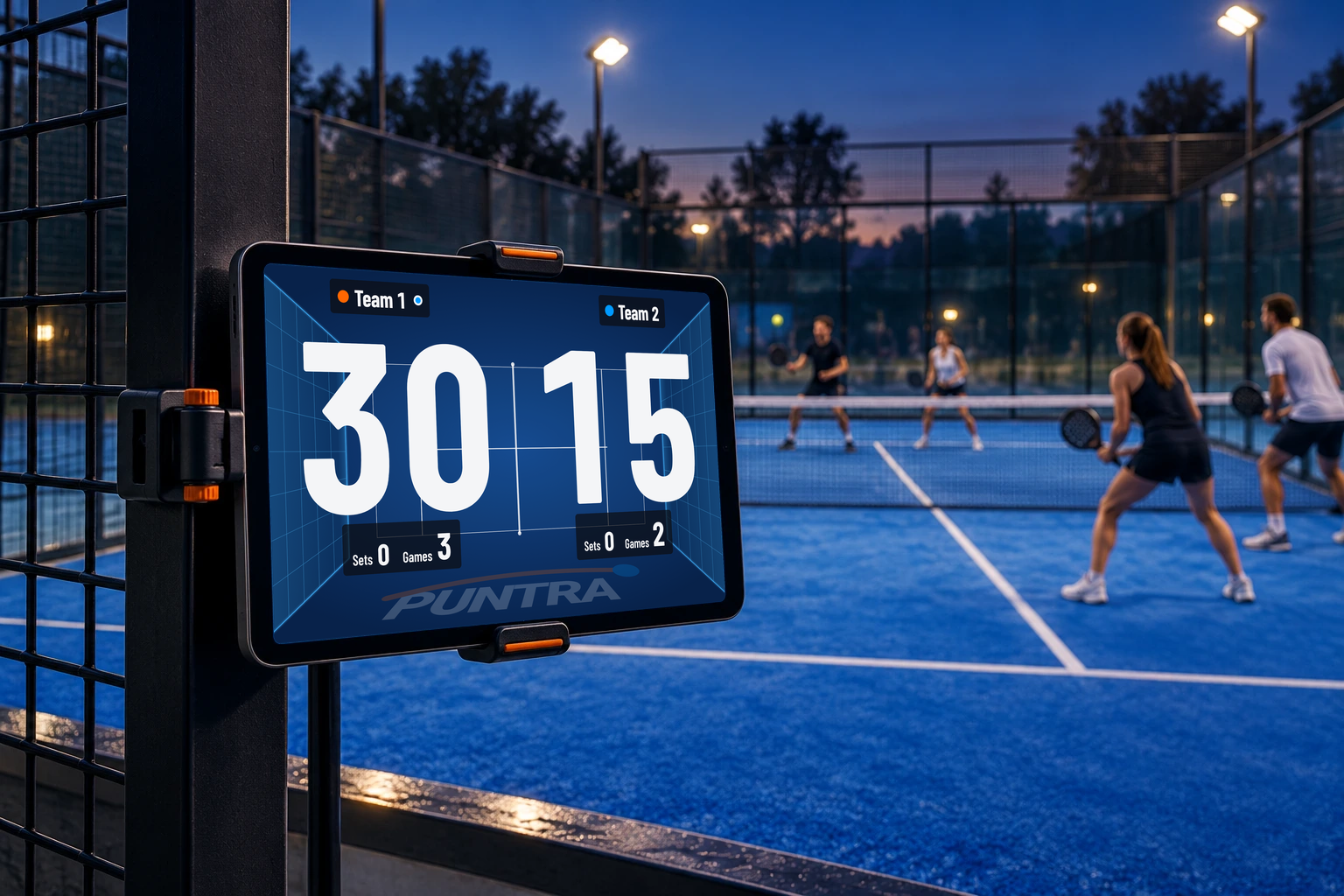
Courtside tablet showing the live score in large figures, with sets and games below.
Sample · Team 1 leads Team 2, 30–15.

5 · Or score on your watch

App screens in English

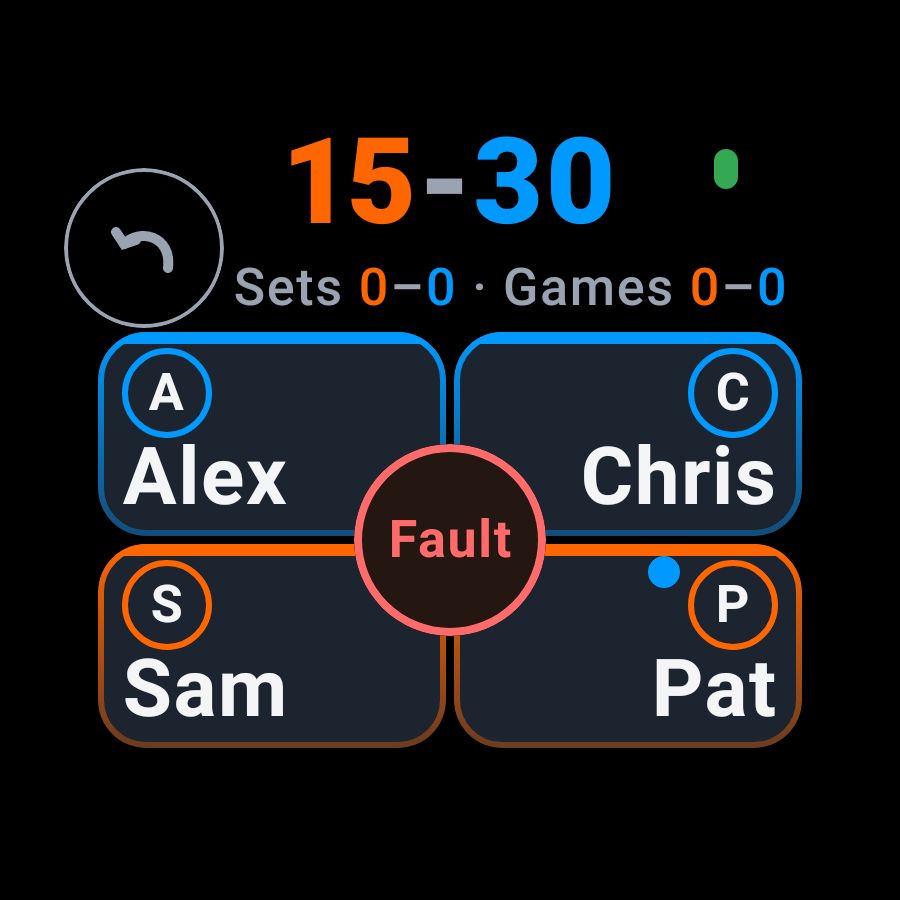
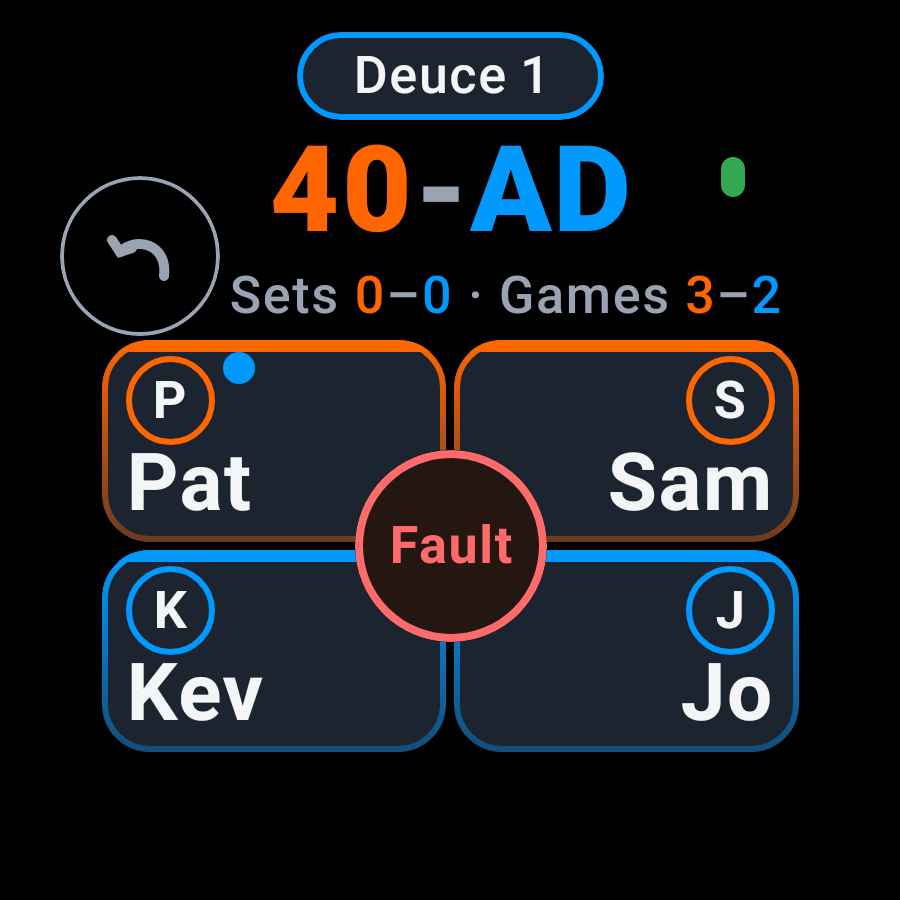
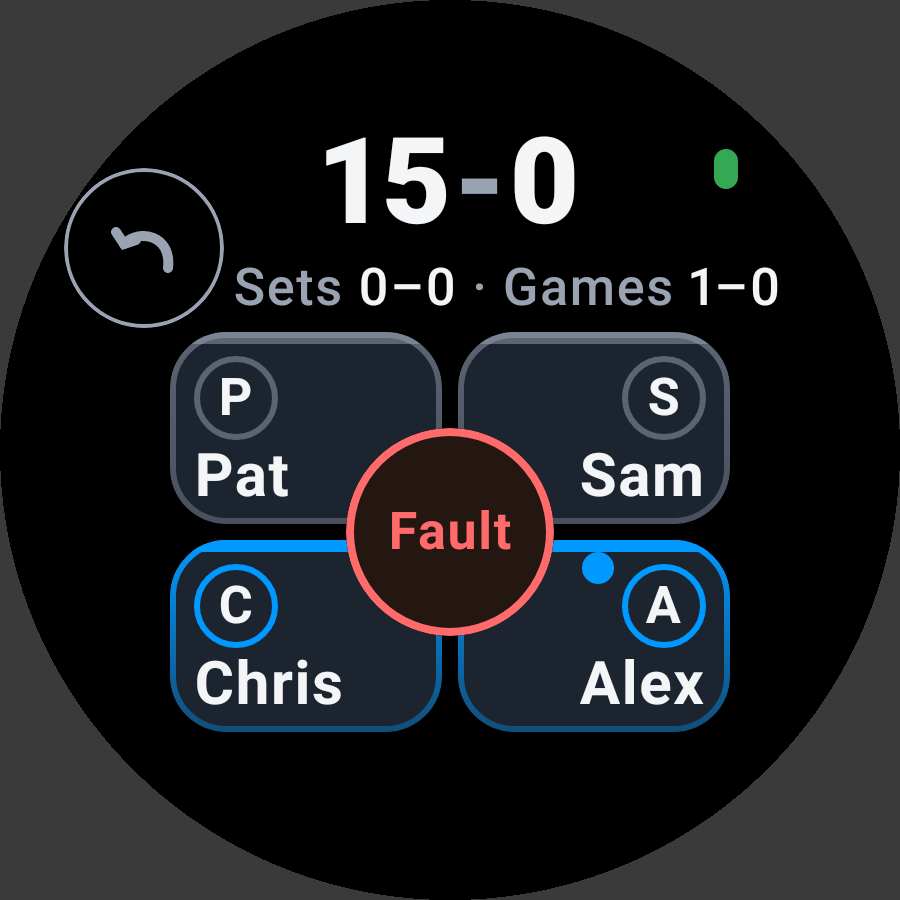
  1. Choose the first server when starting on the watch. The dot marks the server.
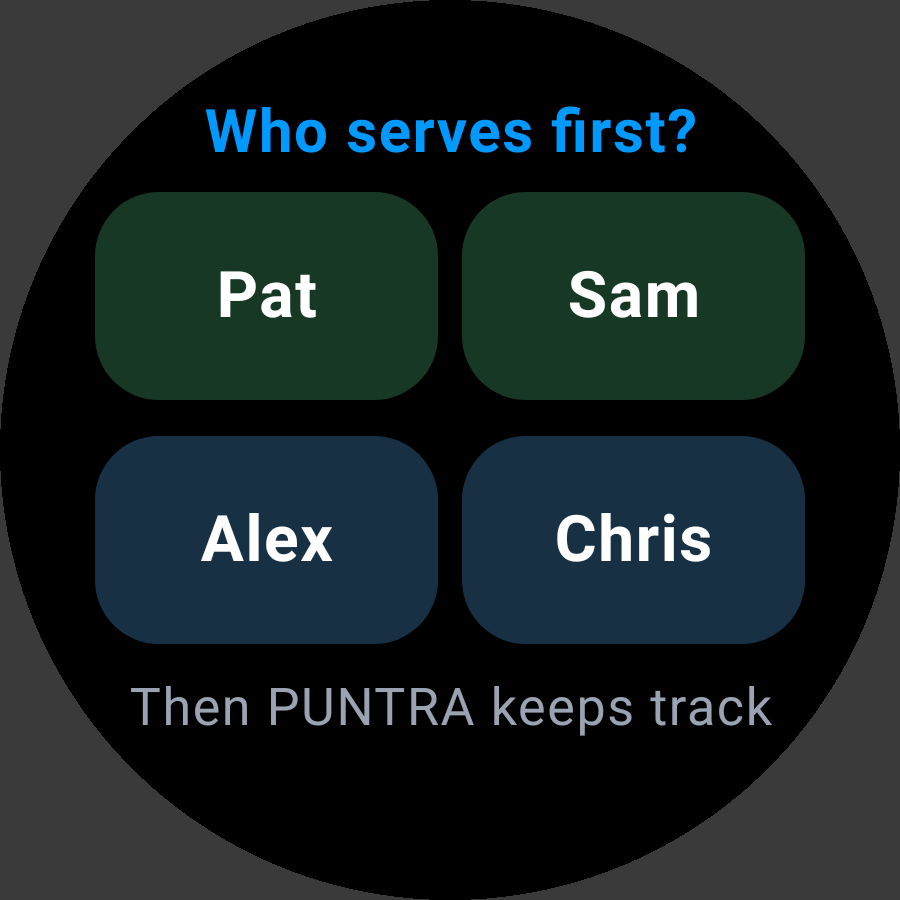
    Sample · Who serves first?
    Sample · Who serves first?
    Sample · Live score
    Sample · Live score
  2. On your phone, open Settings → Advanced settings → Shot layout. Choose four or eight shots. Eight is the default.

    On your phone: Settings → Advanced settings → Shot layout → Number of shots. Eight is the default.
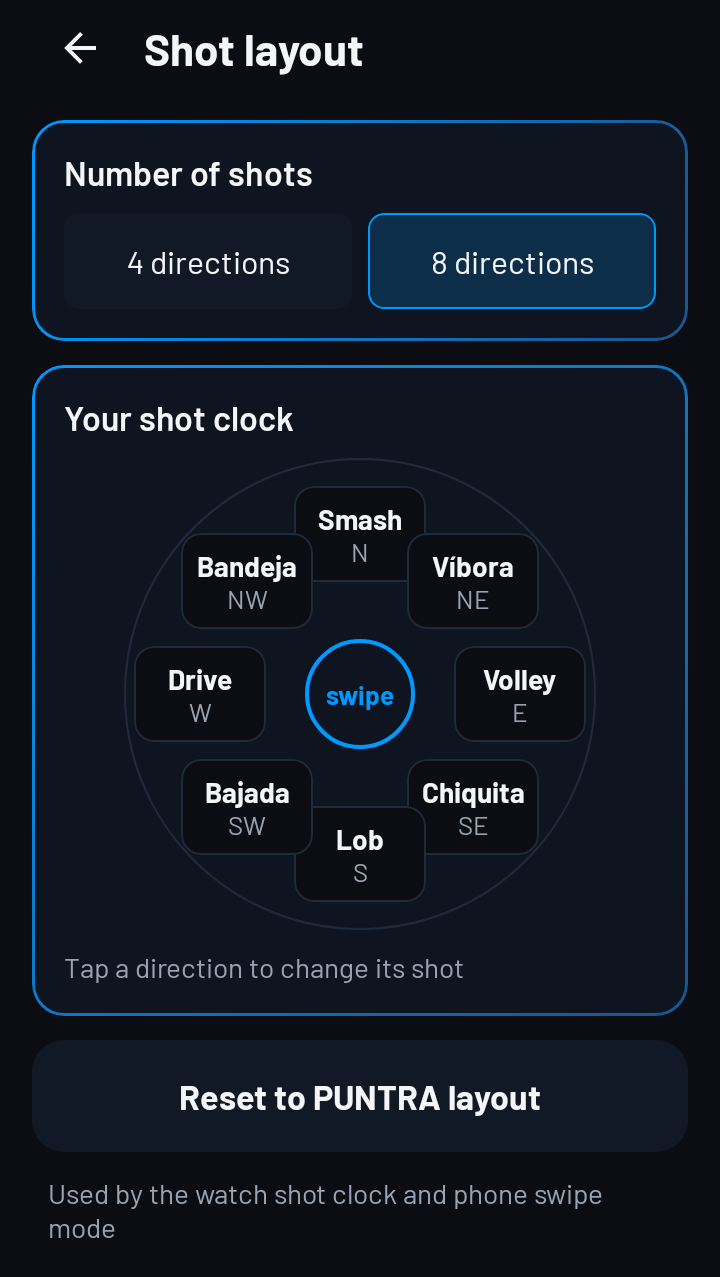
    Sample · Phone · Number of shots
    Sample · Phone · Number of shots
    Sample · Eight shots
    Sample · Eight shots
    Sample · Four shots
    Sample · Four shots
  3. Hold the score to open the watch menu, then turn Hit zones on. This records where the player hit from.
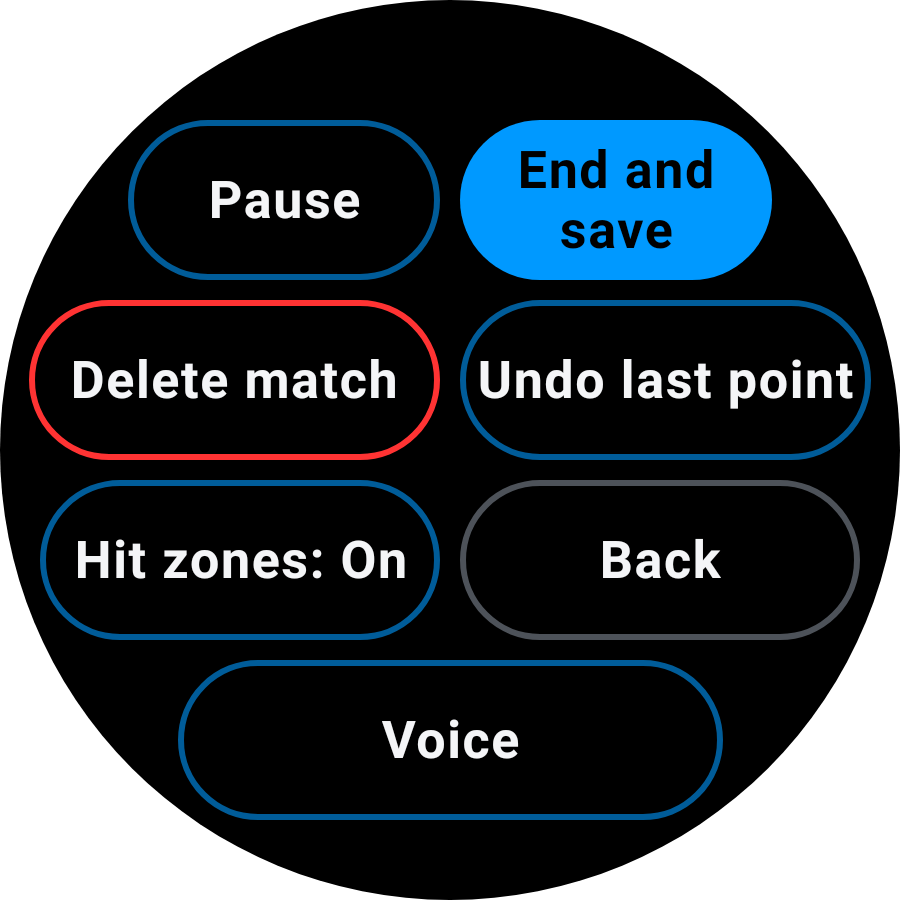
    Sample · Watch menu
    Sample · Watch menu
  4. Tap the player who won the point. Choose an opponent if they won it.

    Sample · Live score
    Sample · Live score
    Sample · Eight shots
    Sample · Eight shots
  5. Press the player and start sliding straight away. Move before 400 ms, then lift over the zone. Holding still first can record an error.
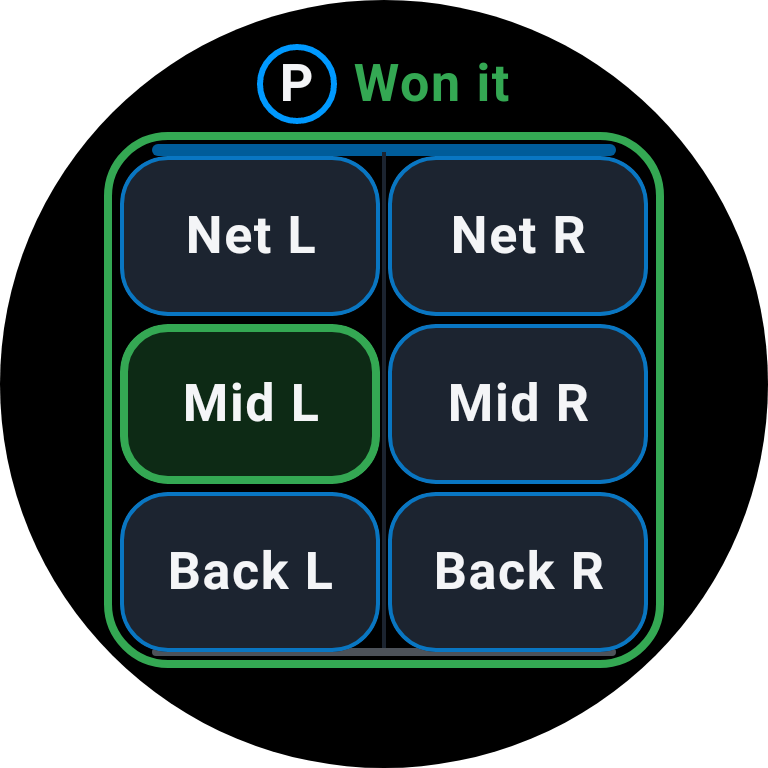
    Sample · Won it · Court position
    Sample · Won it · Court position
    Sample · Eight shots
    Sample · Eight shots
  6. For an error, hold still for at least 400 ms. With Hit zones on, Gave it away appears. Then lift, or slide to a zone and lift.
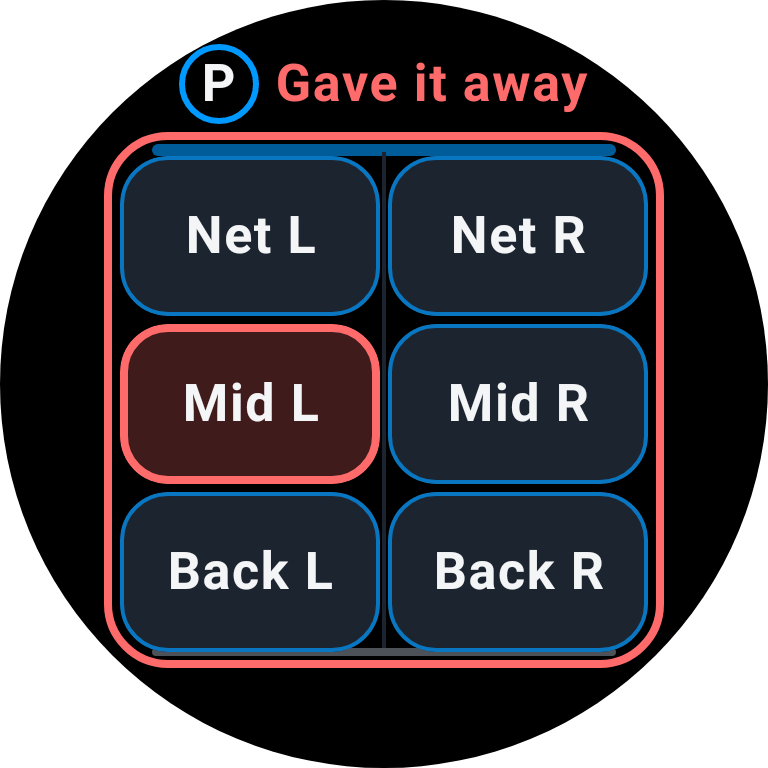
    Sample · Gave it away · Court position
    Sample · Gave it away · Court position
  7. Tap the person, then the shot, to leave position unrecorded. For an error, hold the person first. This still records the person and the shot.

    Sample · Live score
    Sample · Live score
    Sample · Eight shots
    Sample · Eight shots
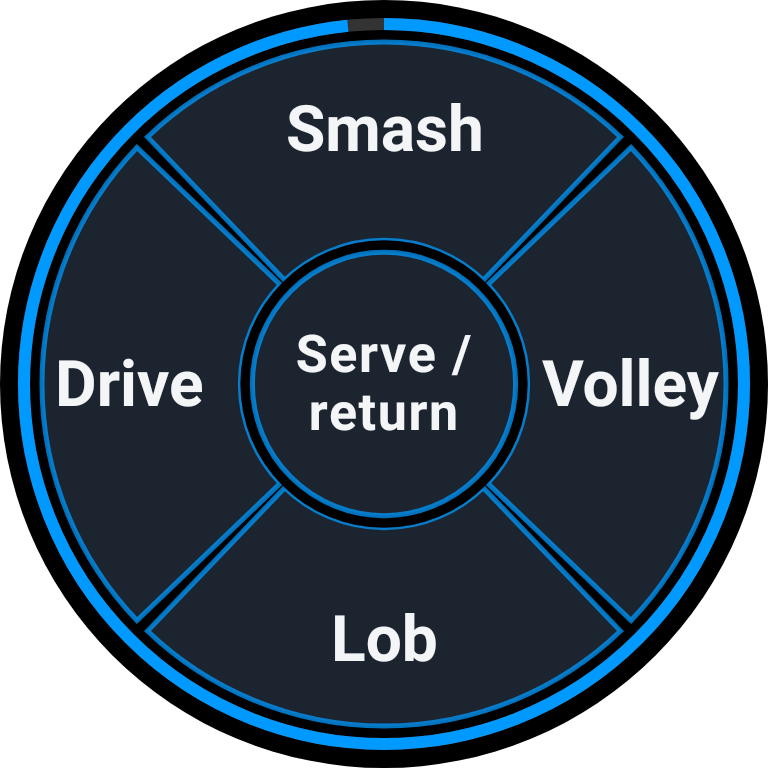
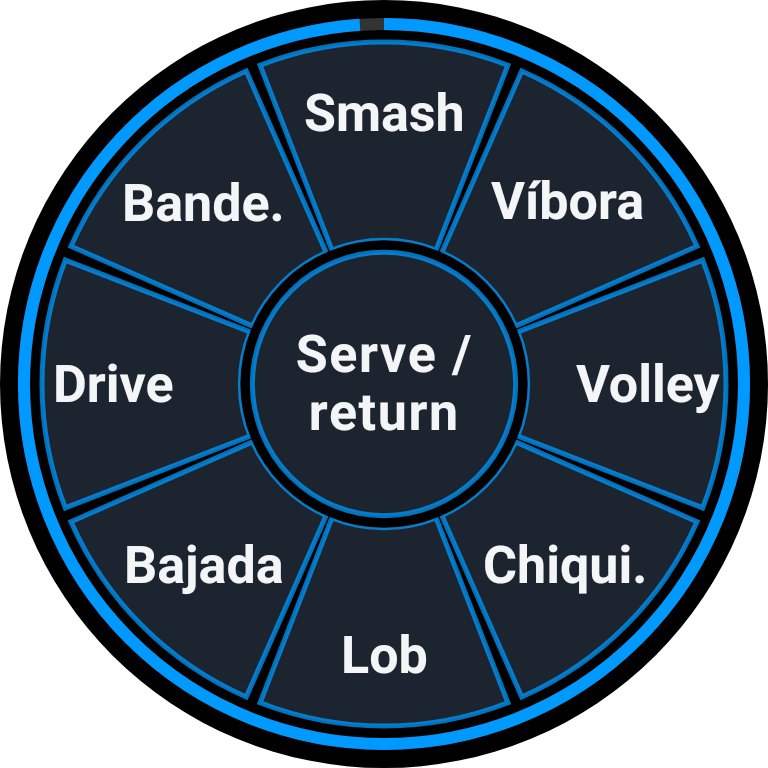
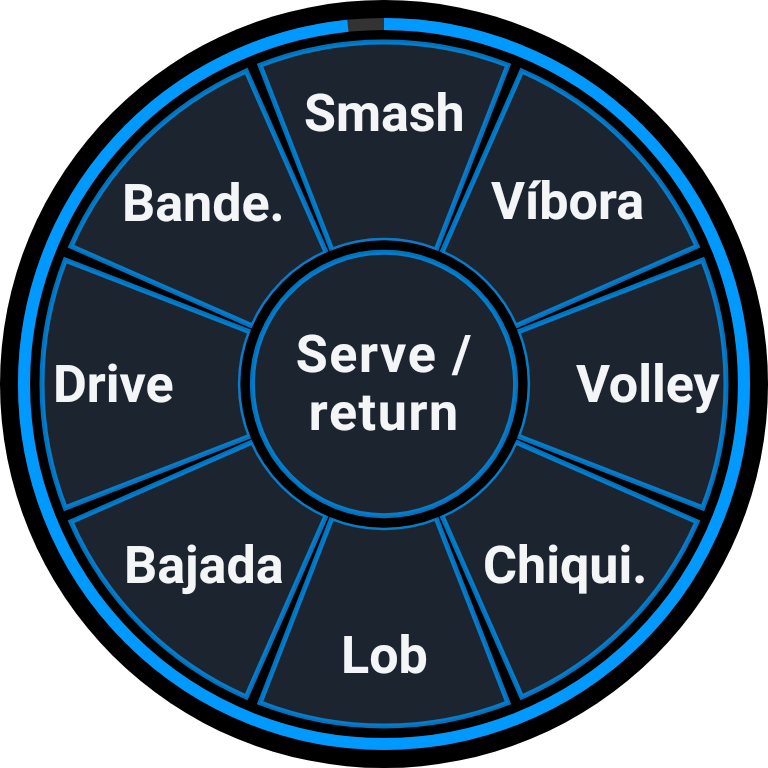
  8. Eight choices: Smash, Víbora, Volley, Chiquita, Lob, Bajada, Drive and Bandeja. Four choices: Smash, Volley, Lob and Drive. Tap the shot or swipe towards it.

    Sample · Eight shots
    Sample · Eight shots
    Sample · Four shots
    Sample · Four shots
  9. Tap Serve / return in the center. The selected player's team identifies serve or return.

    Sample · Eight shots
    Sample · Eight shots
  10. The shot ring stays open for three seconds. Let it finish to keep the point without a shot type. Person, outcome and any position remain recorded.

    Sample · Eight shots
    Sample · Eight shots
    Sample · Live score
    Sample · Live score
  11. Tap Undo to correct the last point. Hold the score to open Undo and Pause in the match menu.
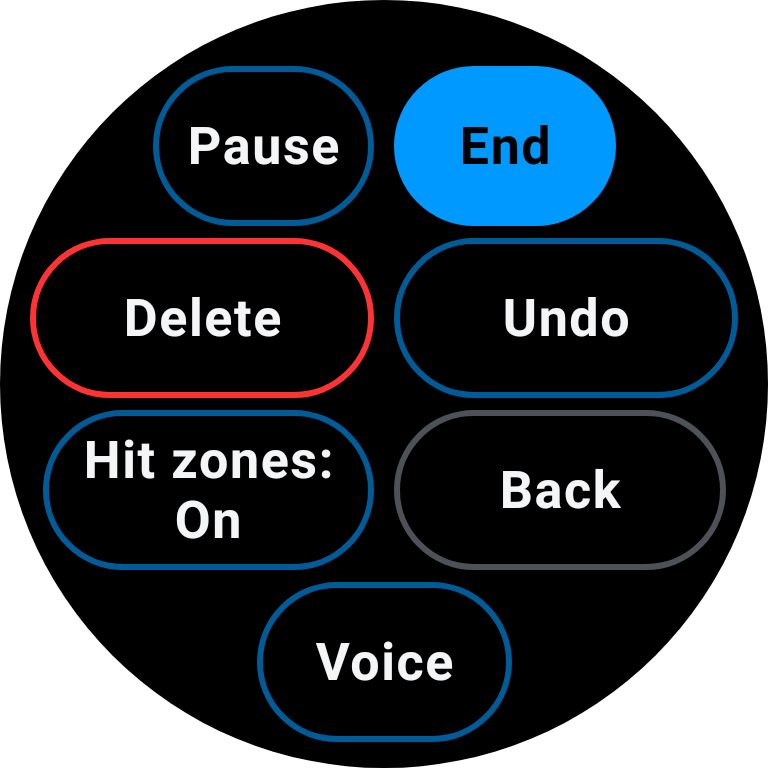
    Sample · Live score
    Sample · Live score
    Sample · Watch menu
    Sample · Watch menu
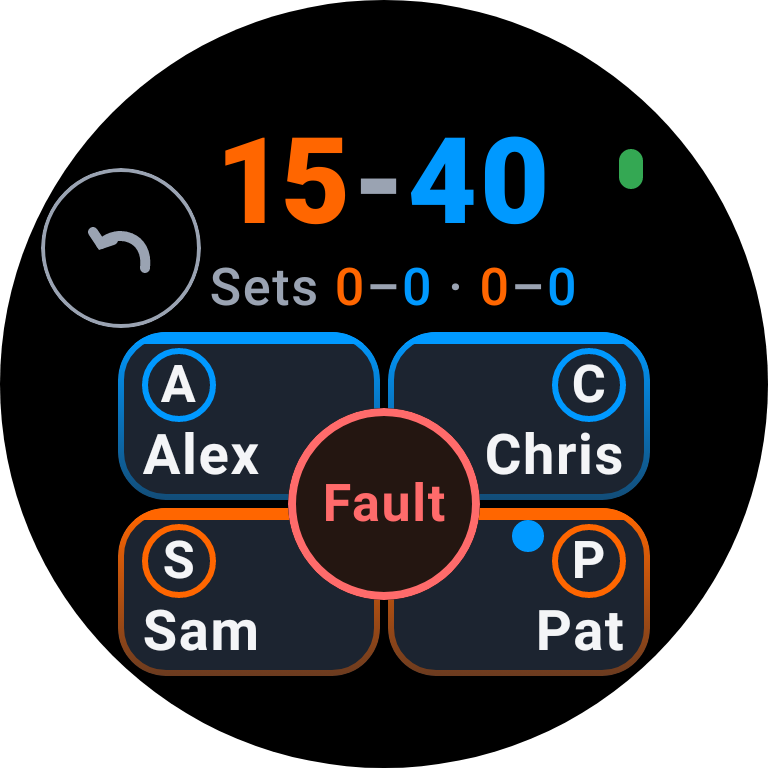
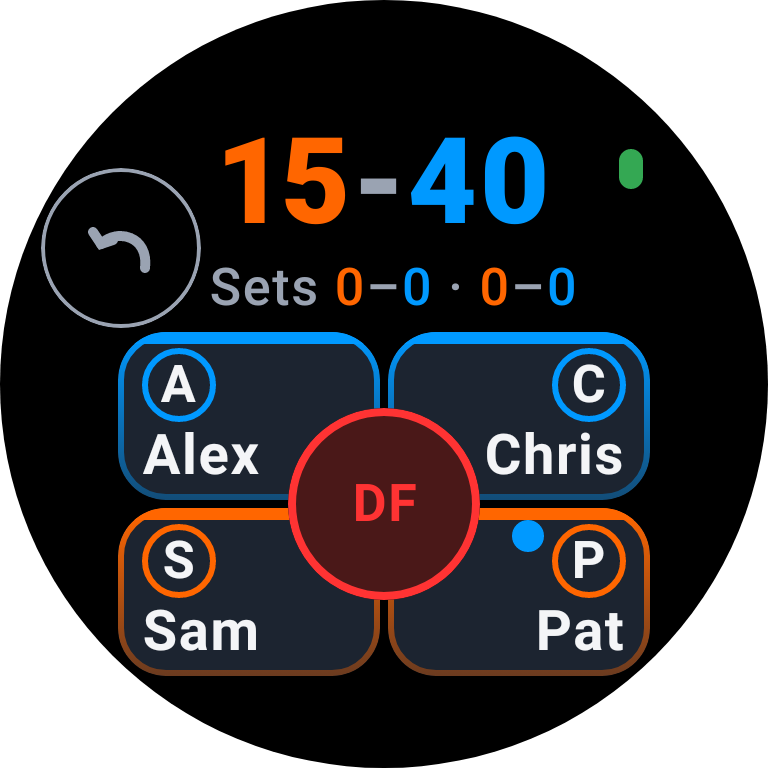
  12. With serve-fault recording on, tap Fault for a first fault and DF for a double fault. With it off, the control records a double fault directly.
    Sample · Live score
    Sample · Live score
    Sample · Live score
    Sample · Live score
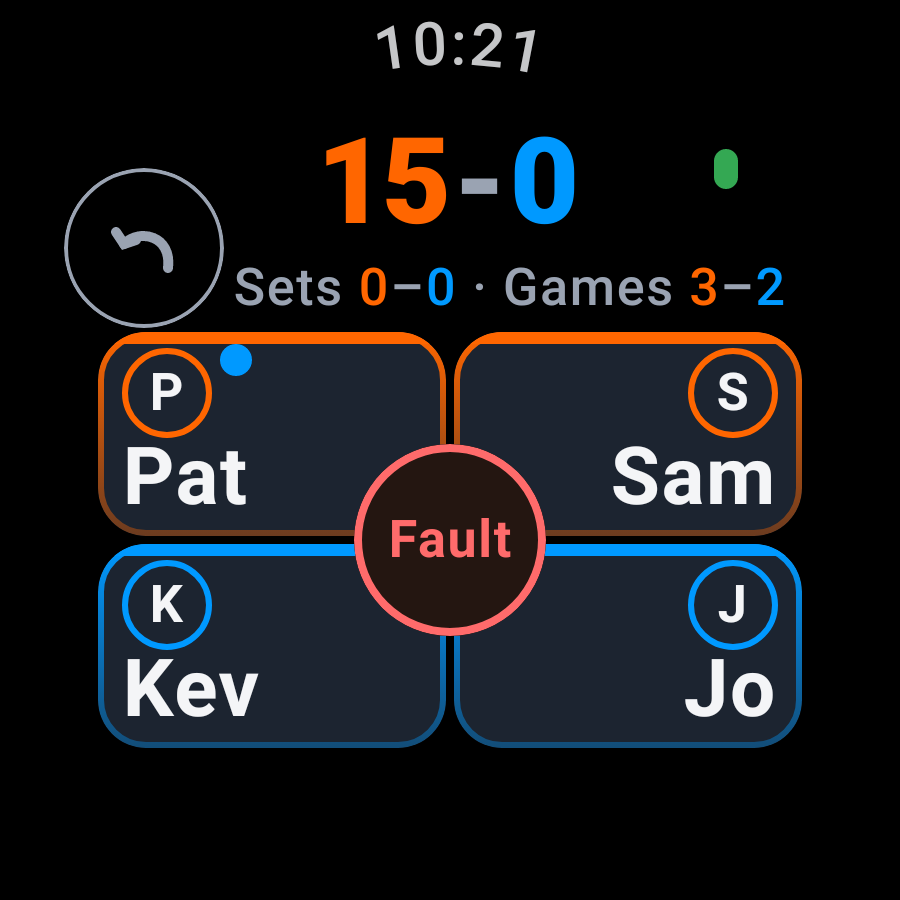
  13. The time-of-day clock gives way while a match badge is shown.
    Sample · Time of day
    Sample · Time of day
    Sample · Match badge
    Sample · Match badge
  14. The phone provides the change-ends prompt and voice call-out. The watch Voice menu controls the phone.

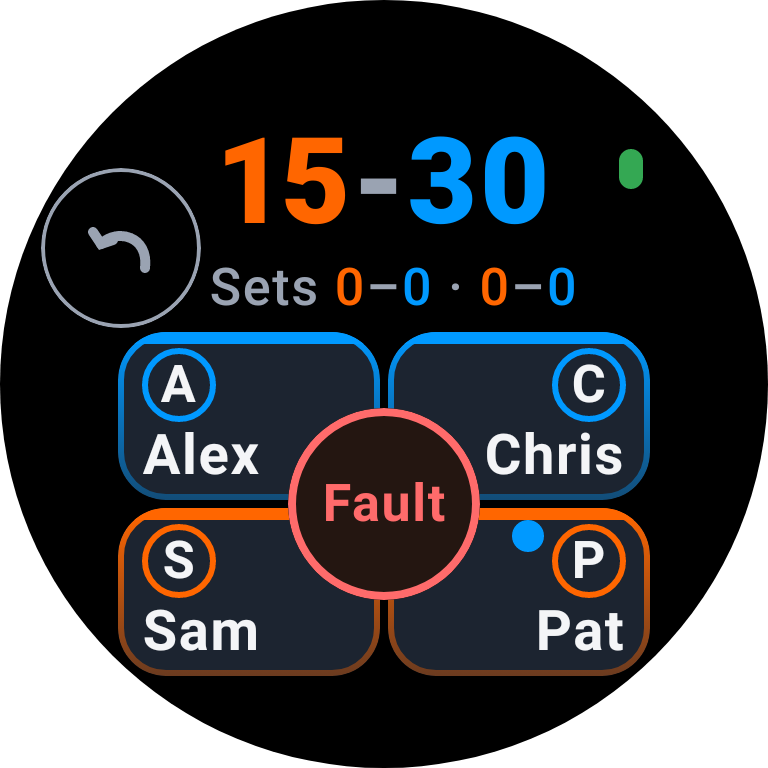
  15. Quick, Standard and Advanced change phone recording. On the watch, use the player action, optional position and shot ring described here.
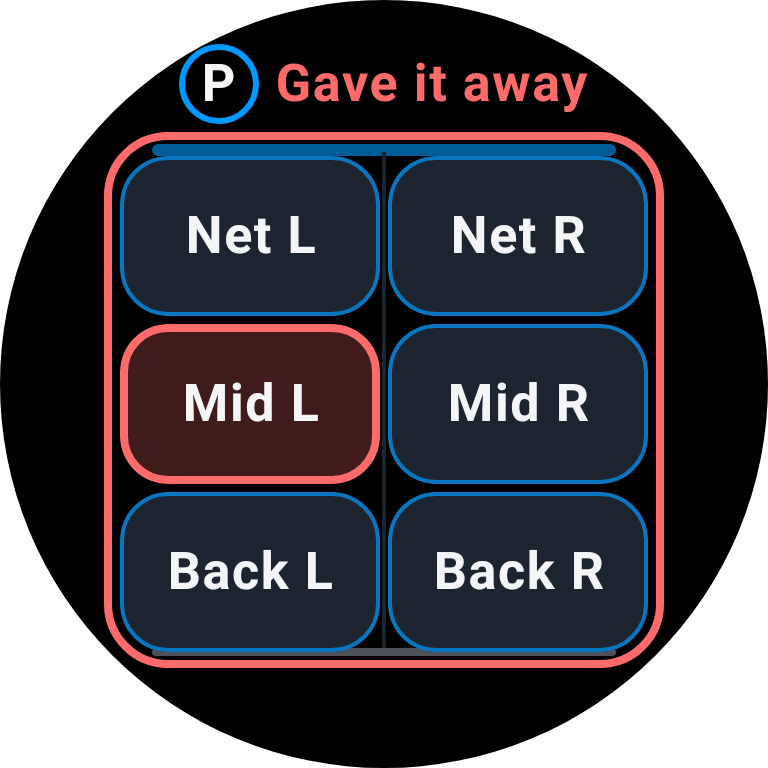
Scoring sequence

Sample · Live score
Sample · Live score
Sample · Gave it away · Court position
Sample · Eight shots
Sample · Live score
Sample · Live score
Sample · Wear OS watch
Sample · Live score

6 · After the last point

After the match, optionally record effort, concentration, tags and a short comment.
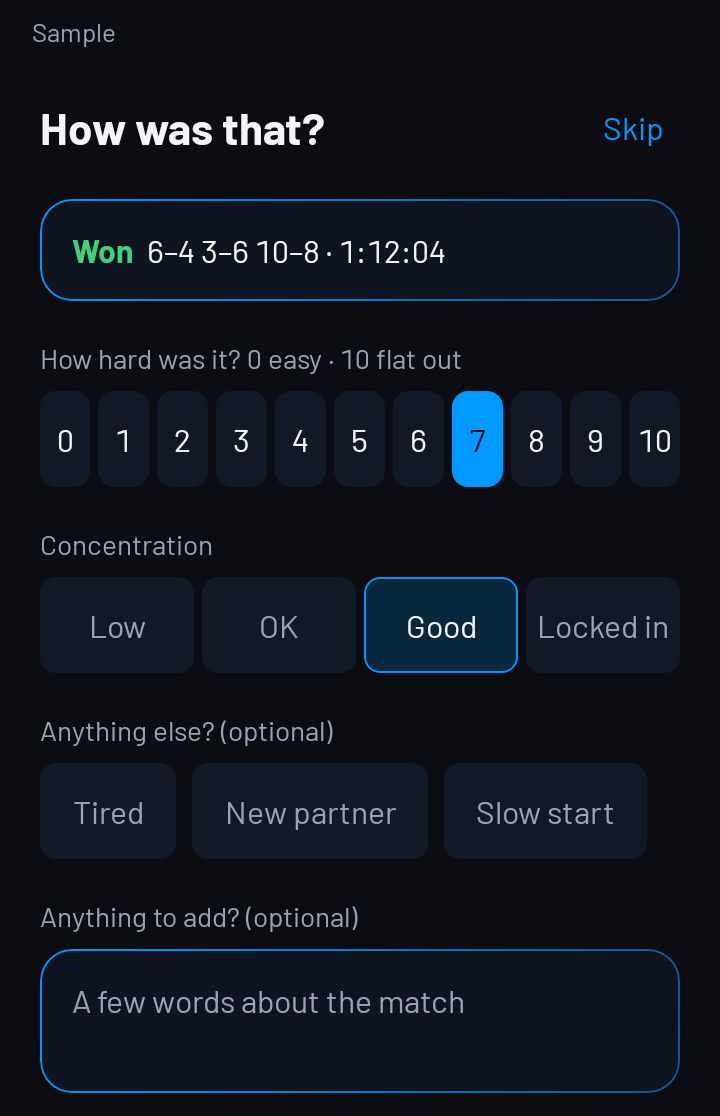
After the match
After the match

7 · Read your Match Summary

Review the result, momentum line and recorded match figures in Match Summary.

8 · Share it with the other three

Share the scorecard from the result summary; eligible signed-in matches can include a confirmed link.
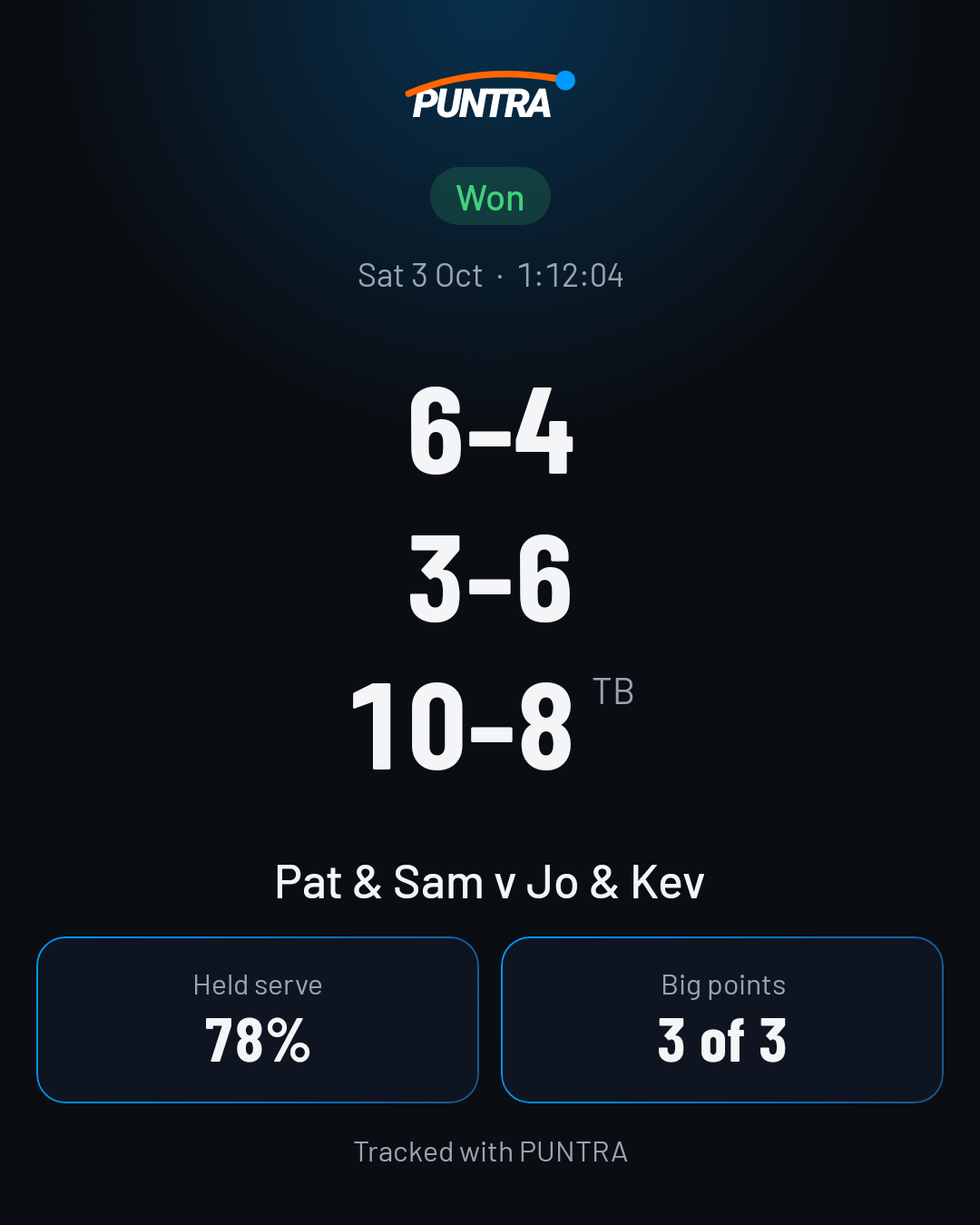
Share the result
Sample

9 · See what to work on

Open Improve to see your available focus area and a strength to keep doing.
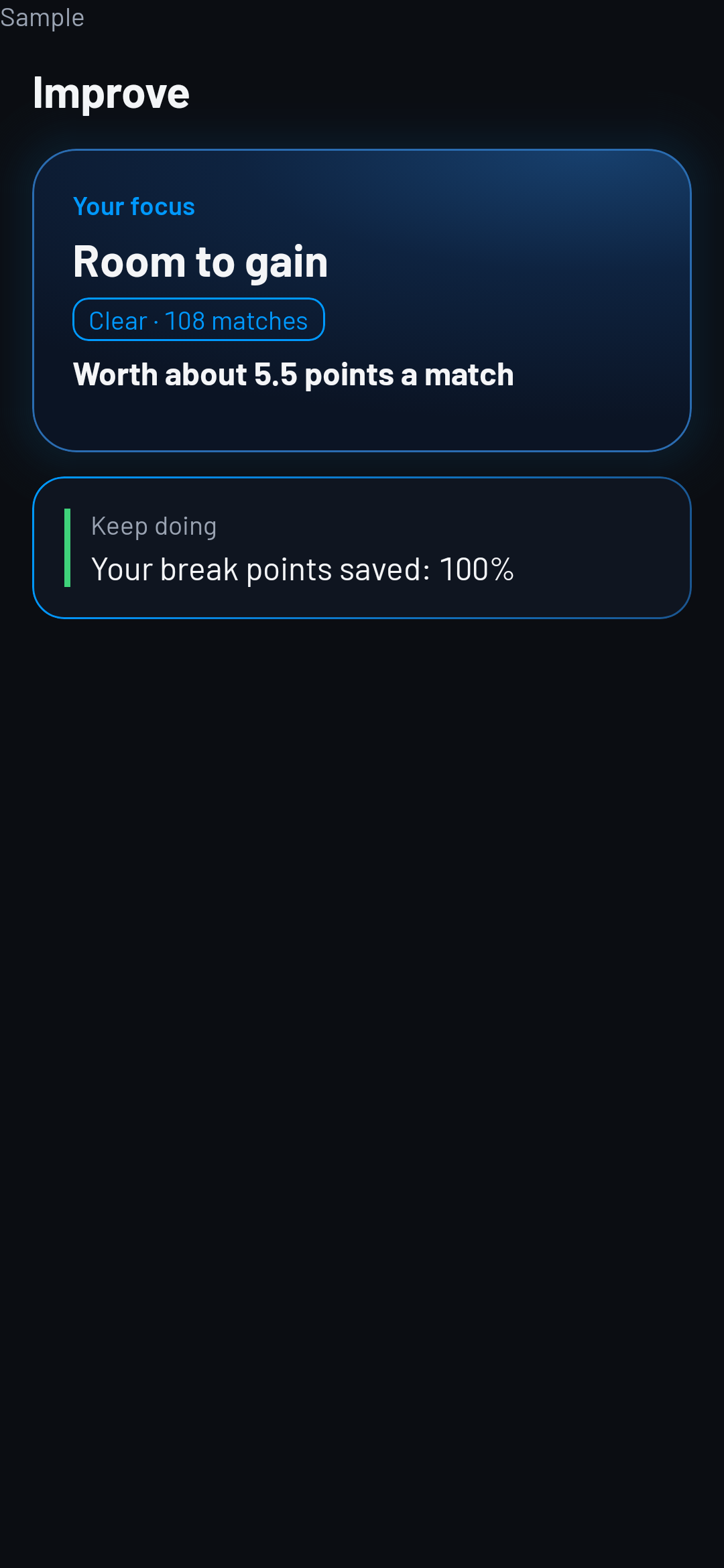
Sample · Improve · Free

10 · Do the drill

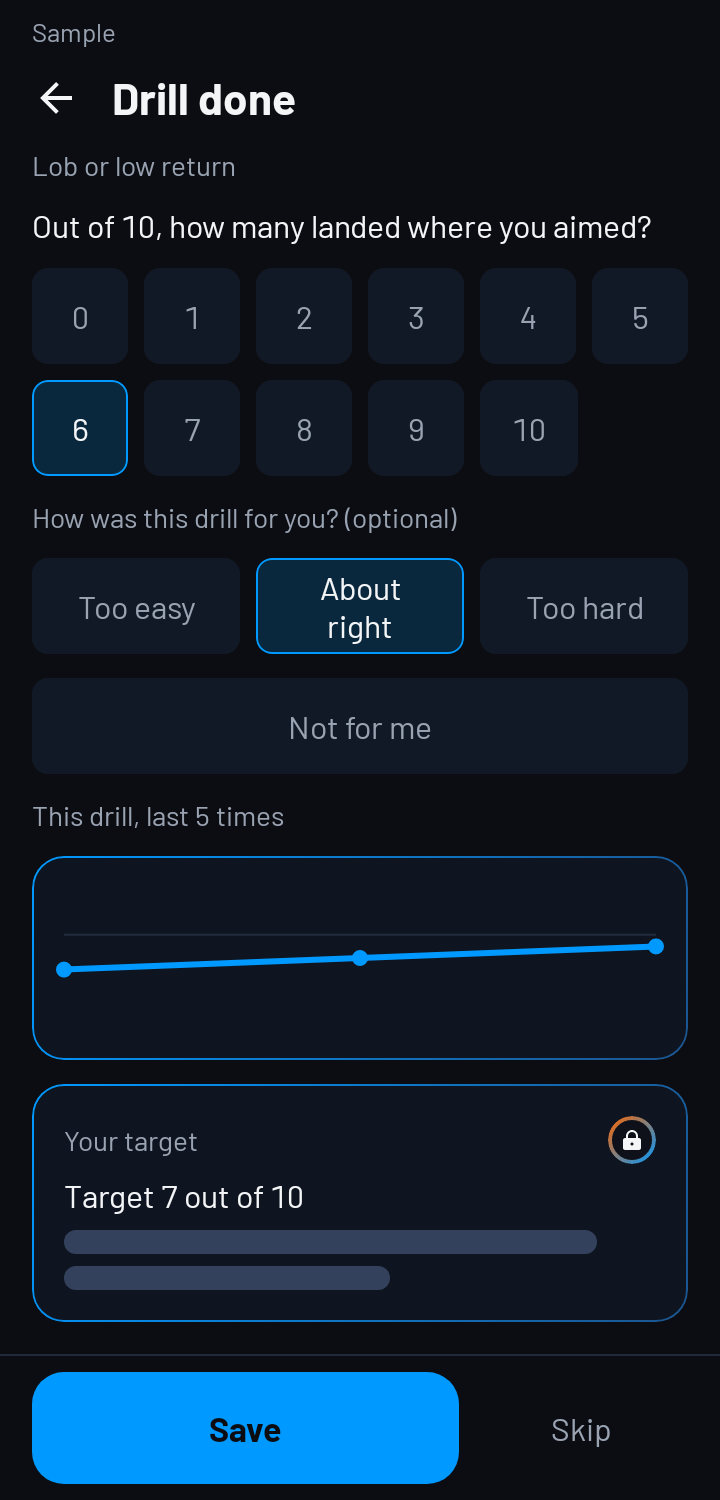
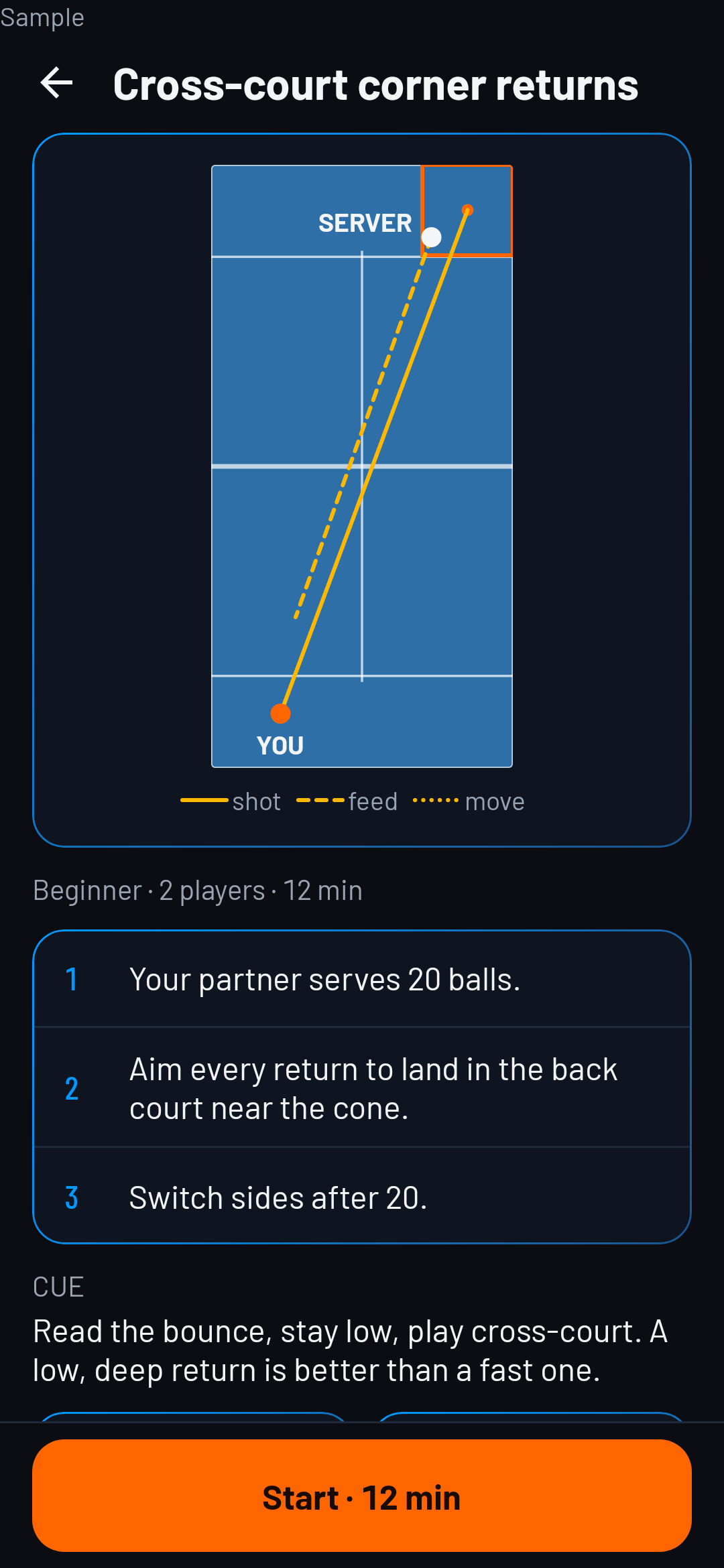
Open an available drill, follow its steps and save your score when you finish.

See your drill results move from one session to the next.
Sample · Drill
Sample · Drill
Training · Free
Training · Free

11 · Take the PUNTRA Test

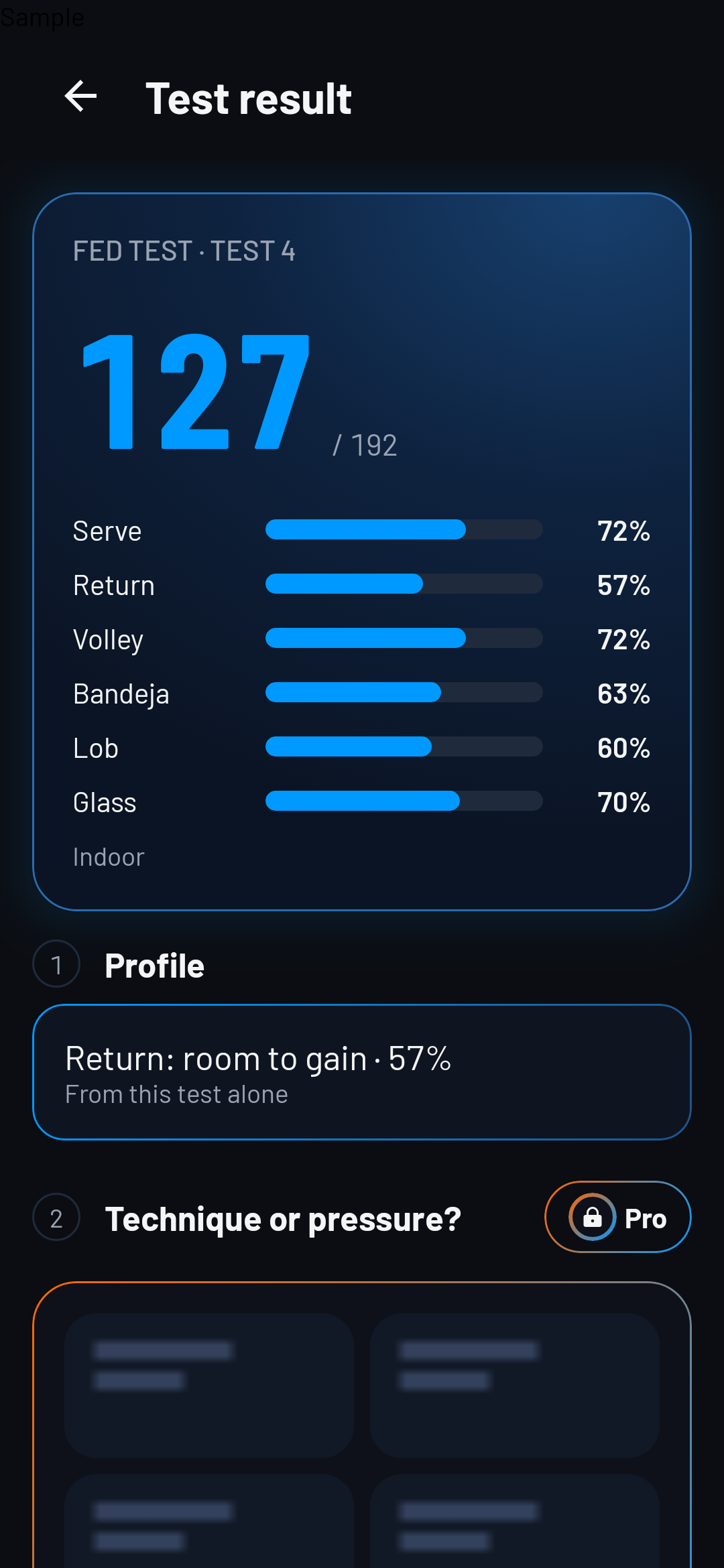
Open the PUNTRA Test and follow its station-by-station or solo test flow.

The Test profile identifies the tapped station with the most room to gain.
Sample · PUNTRA Test · Free

12 · Before your next match

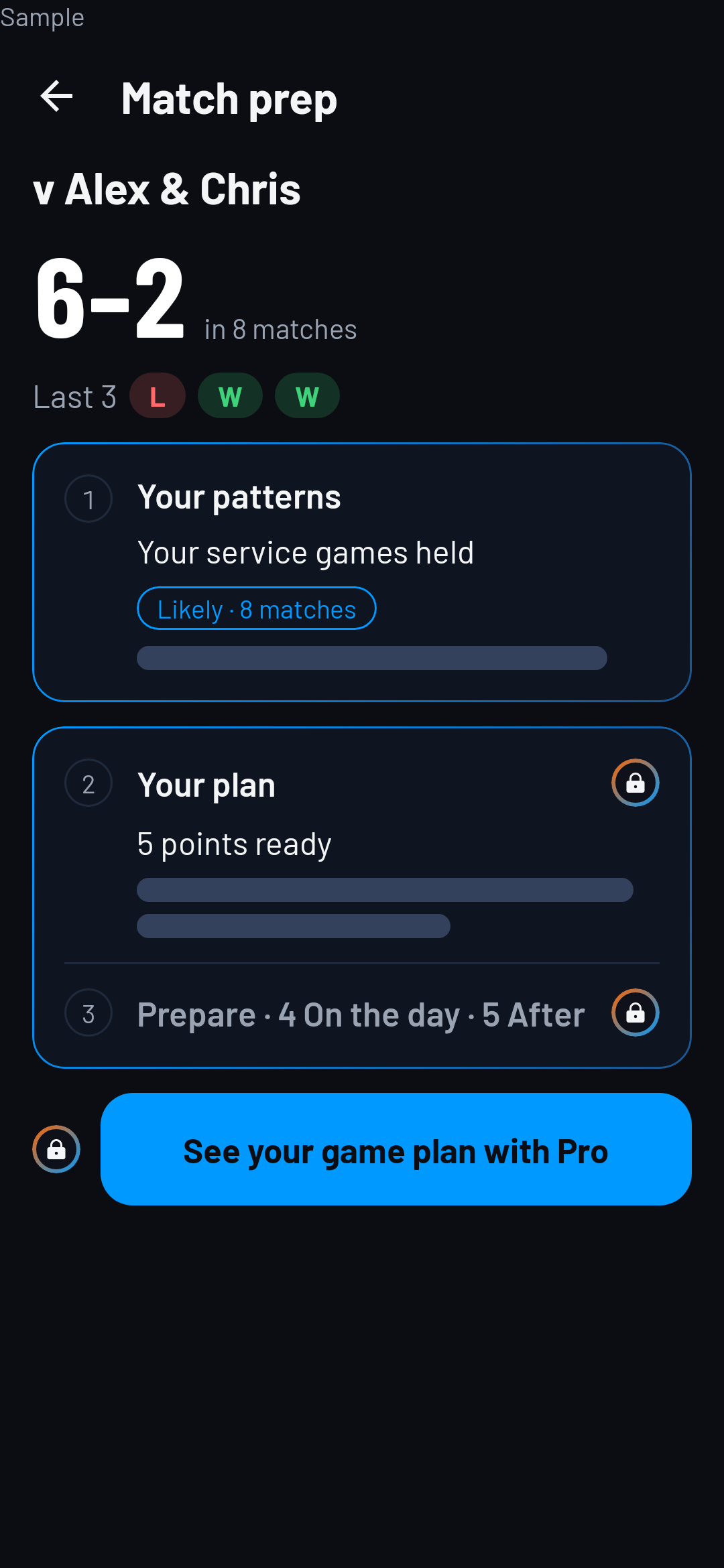
Review your opponent-pair record; with Pro, open the available game plan before you play.
Sample · Match prep · Free

Ready for your next match?